 Efiginix
← Back to blog
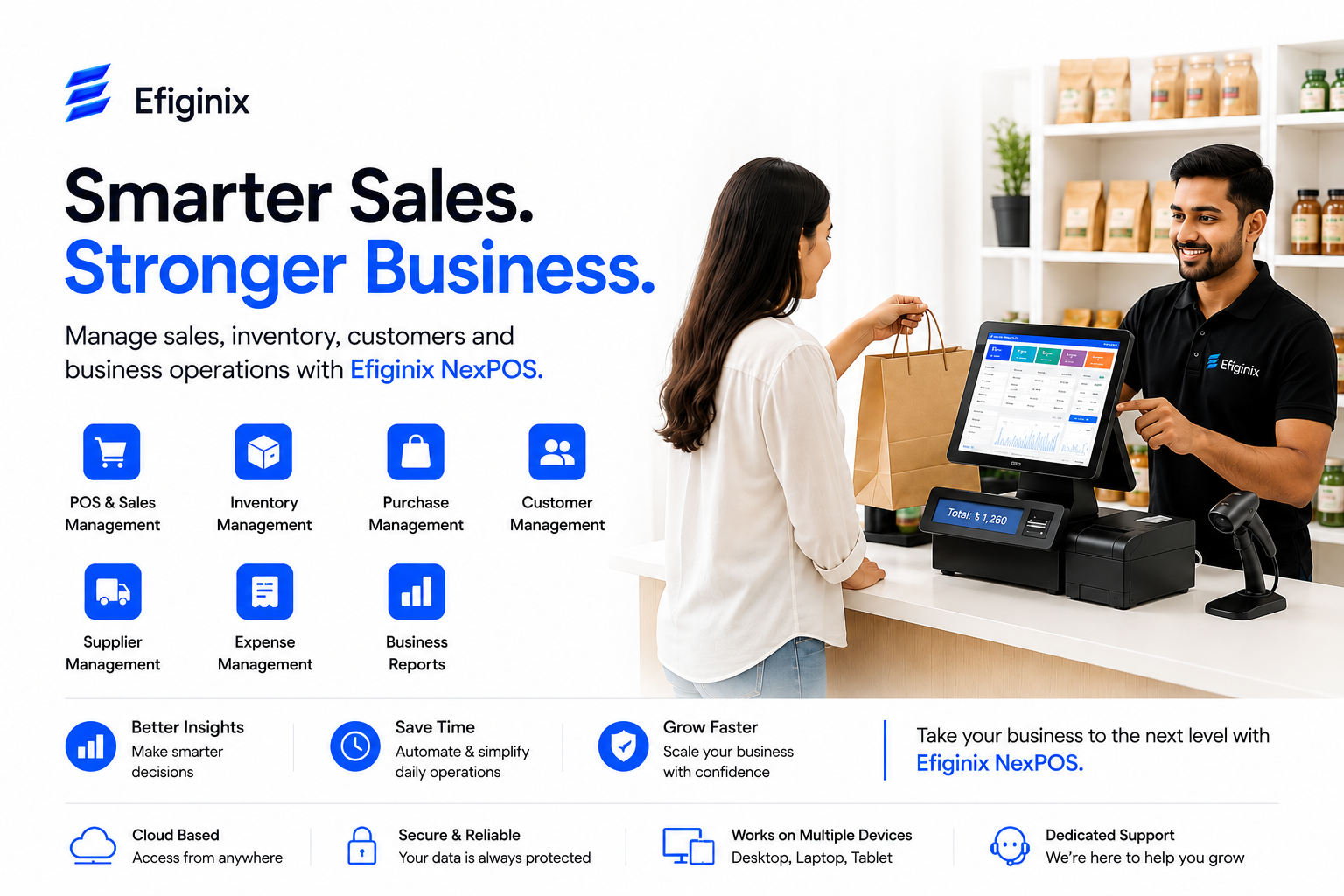
Running a business involves much more than simply selling products. As a business grows, managing sales, inventory, purchases, customers, suppliers, expenses and business reports manually can become increasingly difficult. Many businesses still rely on notebooks, spreadsheets or separate tools to manage their daily operations. While these methods may work for a small business at the beginning, they can become time-consuming and difficult to manage as the number of products, customers, employees and transactions increases.
This is where POS software can make a significant difference.
A modern Point of Sale system can help businesses manage sales transactions while also organizing important business activities such as inventory, purchasing, customer management, supplier management, expenses and reporting. For businesses looking for POS software in Bangladesh, choosing the right solution can help create a more organized, efficient and scalable way of managing day-to-day operations. In this guide, we will explain what POS software is, how it works, its key features, benefits, important considerations when choosing a POS system, and how Efiginix is developing its POS ecosystem for growing businesses.
What Is POS Software?
POS stands for Point of Sale.
POS software is a digital system that helps businesses manage sales transactions and related business operations.
In a traditional sales process, a business may record transactions manually, calculate bills separately and maintain inventory records in notebooks or spreadsheets.
A POS system brings these activities into a more structured digital environment.
Depending on the software and business requirements, a modern POS system can help manage:
• Sales transactions
• Billing
• Products
• Inventory
• Purchases
• Customers
• Suppliers
• Expenses
• Sales reports
• Business information
The purpose of POS software is not simply to replace a traditional cash register. A well-designed POS solution can become an important part of a business's overall digital management system.
How Does a POS System Work?
A POS system generally works by connecting sales transactions with other business information.
For example, when a customer purchases a product, the transaction can be recorded in the POS system. Depending on the system's configuration, related information can then be reflected in areas such as sales records, inventory and reports.
A typical POS workflow can look like this:
Product → Customer Purchase → Sales Transaction → Inventory Update → Transaction Record → Business Report
This creates a more organized workflow than maintaining each record separately.
The exact workflow depends on the POS software, business type and configuration.
Why Do Businesses Need POS Software?
A business may start with manual sales and inventory management, but operational complexity usually increases as the business grows.
Business owners may eventually need answers to questions such as:
• How much did we sell today?
• Which products are selling the most?
• Which products are available in inventory?
• Which products need to be purchased?
• How much did we spend?
• Who are our suppliers?
• What are our recent transactions?
• How is the business performing?
When information is maintained manually across different places, answering these questions can take additional time and effort.
A POS system can organize this information digitally and make it easier to manage.
Key Features of Modern POS Software
The features available in POS software can vary depending on the provider and product edition. However, businesses commonly look for several core capabilities when choosing a POS system.
1. Sales Management
Sales management is one of the fundamental functions of a POS system.
A POS solution can help businesses record sales transactions in a structured digital environment.
Organized sales records can make it easier to review transaction history, monitor business activity and understand overall sales performance.
For businesses processing many transactions every day, digital sales management can significantly reduce repetitive manual work.
2. Inventory Management
Inventory management is particularly important for retail and product-based businesses.
A POS system with inventory management functionality can help businesses maintain digital product and stock records.
Effective inventory management can help businesses:
• Monitor products
• Maintain stock information
• Track inventory changes
• Reduce manual stock tracking
• Understand product movement
• Plan future purchases
• Maintain more organized product records
For businesses managing a large number of products, inventory management software can simplify daily operations and provide better visibility into available stock.
3. Purchase Management
Businesses need to purchase products or materials to maintain their operations.
Purchase management allows businesses to maintain organized information about their purchasing activities.
When sales, inventory and purchase information are managed through a connected system, businesses can develop a clearer understanding of their operational cycle.
A digital purchase management system can also make it easier to review previous purchasing records and maintain supplier-related information.
4. Customer Management
Customers are one of the most important parts of any business.
A POS system can help businesses maintain customer information in a centralized environment.
Depending on the system, customer management may include customer profiles, transaction history and other relevant business information.
Organized customer information can also create a foundation for more advanced CRM and customer loyalty capabilities as a business grows.
5. Supplier Management
Businesses that purchase products from multiple suppliers need an organized way to maintain supplier information.
Supplier management functionality can help businesses keep supplier records structured and easier to access.
This can be particularly useful for:
• Retail businesses
• Grocery stores
• Electronics stores
• Fashion businesses
• Wholesalers
• Product-based businesses
6. Expense Management
Sales revenue is only one side of business operations.
Businesses also need to understand their expenses.
Expense management functionality can help businesses maintain digital records of operational costs and develop a clearer overview of business expenses.
Having sales and expense information organized in one business system can help business owners understand their overall operational activity more effectively.
7. Reports and Business Insights
Business data becomes much more useful when it can be understood through reports.
POS software can organize information into reports that allow business owners and managers to review operational performance.
Depending on the software, reports may provide insights into:
• Sales
• Transactions
• Products
• Inventory
• Purchases
• Expenses
• Business activity
Well-organized reports can help business owners make more informed decisions based on available business information.
Benefits of POS Software for Businesses
A properly implemented POS system can provide several practical benefits.
Reduced Manual Work
Manual record keeping can take considerable time.
Digital POS software can organize repetitive business tasks and reduce the amount of manual record keeping required.
This allows employees to focus more on customers and other important business activities.
Better Inventory Visibility
Digital inventory records can make it easier to understand the current status of products and stock.
Better visibility can help businesses identify inventory requirements and make more informed purchasing decisions.
Organized Sales Records
Instead of maintaining sales records in notebooks or scattered spreadsheets, businesses can maintain transaction information in a centralized digital environment.
Improved Business Monitoring
Business owners can use organized data and reports to better understand daily operations.
This can make it easier to monitor sales activity, expenses, inventory and other important business information.
Reduced Operational Complexity
A centralized POS solution can bring multiple business activities into one structured workflow.
This can reduce the need to maintain separate records for different operational activities.
Support for Business Growth
Business requirements change as an organization grows.
A scalable POS ecosystem can provide a foundation for future capabilities such as CRM, employee management, multi-branch management, advanced analytics and integrations.
POS Software vs Manual Business Management
Many businesses still use notebooks, spreadsheets or a combination of manual methods to manage their operations.
These methods are easy to start with, but they can become increasingly difficult to maintain as transaction volume and business complexity increase.
Manual Management | POS Software |
|---|---|
Sales may be recorded manually | Sales can be digitally recorded |
Inventory tracking can take more time | Inventory can be digitally managed |
Reports may require manual calculation | Structured reports can simplify analysis |
Information may be spread across different records | Information can be centralized |
Repetitive tasks require more manual effort | Digital workflows can reduce repetitive work |
Difficult to scale as operations grow | Designed for more structured business management |
The objective of POS software is not simply to replace paper records.
The bigger goal is to create a more organized digital business workflow.
Who Can Use POS Software?
POS software can be useful for many different types of businesses.
Retail Stores
Retail businesses can use POS systems to manage sales, products, inventory and customer information.
A retail POS software solution can be especially useful for businesses that process frequent daily transactions.
Grocery Stores
Grocery businesses often manage a large number of products and frequent transactions.
POS software can help organize product information, sales, inventory and purchasing activities.
Fashion Stores
Fashion businesses can use POS software to manage product-based sales, inventory and purchasing operations.
Electronics Stores
Electronics retailers can benefit from organized product, purchase, sales and inventory management.
Pharmacies
Pharmacies can use suitable POS and inventory management solutions to organize product and sales-related operations.
Restaurants and Cafes
Restaurants and cafes may use specialized POS solutions to manage ordering, billing and other operational workflows.
Wholesalers and Distributors
Businesses dealing with larger product volumes can benefit from centralized sales, inventory and purchase management.
Small Businesses
Small businesses can use POS software to move away from completely manual sales and operational management.
The right POS solution depends on the size, type and workflow of the business.
POS Software for Small Businesses in Bangladesh
Small businesses often face a common challenge: they need better technology without unnecessary complexity.
A suitable POS solution for small business should provide essential functionality while remaining easy to understand and practical for daily operations.
For a small business, important capabilities may include:
• Sales management
• Inventory management
• Purchase management
• Customer management
• Supplier management
• Expense management
• Business reports
As the business grows, additional capabilities may become useful, including CRM, employee management, customer loyalty, multi-branch management and advanced analytics.
This is why scalability is an important consideration when choosing a POS system.
What Should You Look for in the Best POS Software in Bangladesh?
There is no single POS system that is automatically the best choice for every business.
The right solution depends on the specific requirements of the organization.
Before choosing a POS system, consider the following factors.
Understand Your Business Requirements
Start by identifying what your business actually needs.
Ask questions such as:
• How many products do you manage?
• How many transactions do you process?
• Do you need inventory management?
• Do you need purchase management?
• Do you need customer management?
• Do you need supplier management?
• Do you need multiple branches?
• What type of reports do you need?
Understanding these requirements makes it easier to compare different POS solutions.
Check the Core Features
A POS system should provide the features necessary for your business operations.
Avoid choosing software simply because it has a long list of features.
Instead, focus on whether the available functionality actually solves your business problems.
Consider Ease of Use
A POS system should make business operations easier, not more complicated.
A clean and understandable interface can help employees learn the system faster and use it more effectively.
Consider Scalability
Your business may be small today but significantly larger in the future.
Choose a POS ecosystem that can support changing requirements as your business grows.
Check Reporting Capabilities
Reports are important for understanding business performance.
Before selecting software, check what types of reports are available and whether they are relevant to your business.
Consider Data Security
Business information is valuable.
Before selecting POS software, businesses should understand how their data is stored, protected and managed.
Check Support and Maintenance
Software can become an important part of daily business operations.
Businesses should understand what type of technical support, maintenance, updates and user assistance the software provider offers.
How Much Does POS Software Cost in Bangladesh?
The cost of POS software in Bangladesh can vary depending on the software, features and business requirements.
Pricing may depend on factors such as:
• Number of users
• Number of branches
• Required features
• Inventory requirements
• Customization
• Hosting
• Support
• Maintenance
• Integrations
• Subscription or licensing model
A small business may only need core POS functionality, while a larger organization may require CRM, multi-branch management, advanced analytics, automation and integrations.
Therefore, businesses should not choose POS software based only on the lowest price.
A better approach is to compare:
Features + Usability + Scalability + Support + Security + Total Cost + Business Value
Cloud POS vs Traditional POS
Modern businesses increasingly use cloud-based software because it can provide more flexible access to business information.
However, cloud-based and traditional POS solutions can have different requirements and advantages.
Before choosing a system, businesses should consider:
• Internet requirements
• Data security
• Backup
• User permissions
• System reliability
• Support
• Data accessibility
• Business workflow
The right choice depends on the organization's operational requirements.
Why Digital POS Software Is Becoming Important for Businesses
Business operations are becoming increasingly digital.
Customers expect faster service. Business owners need better visibility. Employees need efficient tools. Growing organizations need systems that can handle increasing amounts of information.
As a result, POS software is evolving beyond simple billing.
Modern POS ecosystems can become connected with other business systems such as:
• CRM
• ERP
• Accounting
• E-commerce
• Websites
• Business analytics
• Customer loyalty systems
• Employee management
This creates an opportunity for businesses to gradually build a more connected digital ecosystem.
Introducing Efiginix NexPOS
Efiginix NexPOS is a scalable POS and business management platform designed to help businesses manage their daily operations through a structured, centralized and efficient digital environment.
Built around three progressive editions — Core, Pro and Enterprise — Efiginix NexPOS allows businesses to start with essential POS functionality and gradually move toward more advanced business management, CRM, analytics, automation, AI and business integrations as their requirements grow.
Each edition is designed to build upon the capabilities of the previous edition, creating a flexible business management ecosystem that can evolve alongside the changing needs of a growing business.
Efiginix NexPOS Core
Efiginix NexPOS Core provides the essential tools businesses need to manage their day-to-day sales and operational activities from one centralized platform.
It includes:
• POS & Sales Management
Manage daily sales transactions, billing and sales activities through a structured digital POS environment.
• Inventory Management
Maintain organized product and stock information while gaining better visibility into inventory.
• Purchase Management
Record and manage purchasing activities while keeping purchase information connected with overall business operations.
• Customer Management
Maintain customer information and transaction-related records in a centralized environment.
• Supplier Management
Organize supplier information and maintain structured records for easier business management.
• Expense Management
Track and organize business expenses to maintain a clearer overview of operational costs.
• Business Reports
Access organized business information and reports to better understand sales, inventory, purchases, expenses and overall business activity.
Together, these capabilities provide businesses with a centralized foundation for managing essential daily operations, reducing dependence on manual records and creating a more organized digital workflow.
POS & Sales Management
Efiginix NexPOS Core helps businesses organize sales transactions through a digital POS environment.
Instead of relying entirely on manual sales records, businesses can maintain structured transaction information and manage their daily sales workflow more efficiently.
Learn More About Efiginix NexPOS Core → https://efiginix.com/products
Inventory Management
Inventory is a critical part of product-based businesses.
Efiginix NexPOS Core includes inventory management functionality to help businesses maintain organized product and stock information.
Digital inventory management can help businesses gain better visibility into their products and support more organized purchasing decisions.
Purchase Management
Businesses can organize their purchase-related information and maintain structured records of purchasing activities.
This can help create a clearer connection between purchasing, inventory and sales operations.
Customer Management
Efiginix NexPOS Core includes customer management functionality so businesses can maintain customer information within their POS environment.
This also creates a foundation for future customer relationship and loyalty capabilities.
Supplier Management
Businesses can organize supplier information and maintain structured supplier records through the POS ecosystem.
Expense Management
Efiginix NexPOS Core includes expense management functionality to help businesses maintain digital records of operational expenses.
Reports
Efiginix NexPOS Core includes reporting functionality to help businesses review their sales and operational information.
Reports can help business owners gain a clearer understanding of business activities and performance.
Efiginix NexPOS Pro — In Development
Efiginix NexPOS Pro is the advanced edition currently being developed as part of the Efiginix NexPOS ecosystem.
It is being built for businesses that require more advanced customer management, employee management, multi-branch operations and business analytics.
Efiginix NexPOS Pro is being developed to include the capabilities available in Core, along with:
CRM
Customer Loyalty
Employee Management
Employee Commission
Multi-Branch Management
Advanced Analytics
These capabilities are being developed to support businesses as their operations become more complex.
Efiginix NexPOS Pro is currently in development. Features and availability may evolve as development progresses.
Explore Efiginix NexPOS Pro → https://efiginix.com/products
Efiginix NexPOS Enterprise — In Development
Efiginix NexPOS Enterprise is the advanced enterprise-focused edition currently being developed as part of the Efiginix NexPOS ecosystem.
It is being built for larger organizations and businesses that require advanced automation, AI capabilities, integrations and customized business management.
Efiginix NexPOS Enterprise is being developed to include the capabilities available in Pro, along with:
AI
Advanced Automation
API Integration
Website Integration
E-commerce Integration
Accounting Integration
Custom Reports
Multiple Companies
These capabilities are being developed to support organizations with more complex operational and integration requirements.
Efiginix NexPOS Enterprise is currently in development. Features and availability may evolve as development progresses.
Explore Efiginix NexPOS Enterprise → https://efiginix.com/products
Efiginix NexPOS Editions Compared
Feature | Efiginix NexPOS Core | Efiginix NexPOS Pro | Efiginix NexPOS Enterprise |
|---|---|---|---|
POS & Sales | Available | In Development | In Development |
Inventory | Available | In Development | In Development |
Purchase | Available | In Development | In Development |
Customer | Available | In Development | In Development |
Supplier | Available | In Development | In Development |
Expense | Available | In Development | In Development |
Reports | Available | In Development | In Development |
CRM | — | In Development | In Development |
Customer Loyalty | — | In Development | In Development |
Employee Management | — | In Development | In Development |
Employee Commission | — | In Development | In Development |
Multi-Branch | — | In Development | In Development |
Advanced Analytics | — | In Development | In Development |
AI | — | — | In Development |
Advanced Automation | — | — | In Development |
API Integration | — | — | In Development |
Website Integration | — | — | In Development |
E-commerce Integration | — | — | In Development |
Accounting Integration | — | — | In Development |
Custom Reports | — | — | In Development |
Multiple Companies | — | — | In Development |
Note: Efiginix NexPOS Core is currently available. Efiginix NexPOS Pro and Efiginix NexPOS Enterprise are currently in development, and their capabilities may evolve during development.
Which Efiginix NexPOS Edition Is Right for Your Business?
Choosing the right POS edition depends on the current and future requirements of your business.
Choose Efiginix NexPOS Core if you:
Need essential POS functionality
Want digital sales management
Need inventory management
Manage purchases and suppliers
Need customer records
Want to track business expenses
Need standard business reports
Are moving from manual management to digital business management
Explore Efiginix NexPOS Core → https://efiginix.com/products
Consider Efiginix NexPOS Pro as it becomes available if you:
Need CRM capabilities
Want customer loyalty management
Manage multiple employees
Need employee commission management
Operate multiple branches
Require advanced business analytics
Efiginix NexPOS Pro — In Development → https://efiginix.com/products
Consider Efiginix NexPOS Enterprise as it becomes available if you:
Operate a larger organization
Need advanced automation
Require AI-powered capabilities
Need API integrations
Want website integration
Operate an e-commerce business
Require accounting integration
Need custom reports
Manage multiple companies
Efiginix NexPOS Enterprise — In Development → https://efiginix.com/products
Built to Grow With Your Business
Businesses rarely remain the same size forever.
A small retail store may initially need only sales and inventory management.
As the business grows, it may require:
CRM → Employee Management → Customer Loyalty → Multi-Branch Management → Advanced Analytics → Automation → Integrations → AI
The Efiginix NexPOS product roadmap is designed around this progression.
Efiginix NexPOS Core
Essential Business Management
Efiginix NexPOS Pro
Advanced Business Management
Efiginix NexPOS Enterprise
Enterprise-Level Automation & Integration
This approach allows the Efiginix NexPOS ecosystem to evolve alongside the changing needs of businesses.
Efiginix NexPOS for Different Types of Businesses
Different businesses have different operational requirements.
Efiginix NexPOS is being developed with a broad range of business use cases in mind.
Retail Businesses
Manage sales, products, inventory, purchases and business reports through a centralized POS environment.
Retail Business Solution → https://efiginix.com/products
Grocery Businesses
Organize product inventory, sales and purchase operations through a digital workflow.
Fashion Businesses
Manage product-based sales and inventory through a structured POS system.
Electronics Businesses
Maintain organized product, purchase, sales and inventory information.
Small Businesses
Move away from completely manual sales and operational management toward a digital business workflow.
Growing Businesses
As operations become more complex, Efiginix NexPOS Pro and Enterprise are being developed to provide additional capabilities such as CRM, employee management, multi-branch management, advanced analytics, automation and integrations.
Beyond POS: Building a Complete Business Management Ecosystem
A POS system can be the starting point of a broader digital transformation journey.
Businesses may eventually need more than sales and inventory management.
They may require:
CRM
ERP
Accounting
E-commerce
Website integration
Customer loyalty
Employee management
Business analytics
Automation
The Efiginix NexPOS roadmap is being developed around this broader ecosystem approach.
The long-term vision is to help businesses manage more of their operational processes through connected digital solutions.
Explore Efiginix Business Software Solutions → https://efiginix.com/products
Why Choose Efiginix for Business Software?
Efiginix focuses on building practical technology solutions for businesses that want to move from manual processes toward structured digital operations.
Our approach focuses on several key principles.
Business-Oriented Solutions
Software should solve real business problems rather than simply provide a collection of features.
Scalable Product Development
The Efiginix NexPOS ecosystem is being developed to evolve as business requirements grow.
Modern Technology
Efiginix develops software solutions with modern technology and digital workflows in mind.
Practical User Experience
Business software should be understandable and practical for the people who use it every day.
Long-Term Vision
Efiginix is building a broader software ecosystem rather than focusing only on one standalone product.
Learn More About Efiginix → https://efiginix.com/
Frequently Asked Questions About POS Software
What is POS software?
POS software is a digital system used to manage sales transactions and related business operations such as inventory, purchases, customers, suppliers, expenses and reports.
What is a POS system?
A POS system is a software-based solution used to process sales and manage point-of-sale operations. Depending on the setup, it may also work with hardware such as computers, barcode scanners, receipt printers and cash drawers.
What is the best POS software in Bangladesh?
The best POS software depends on the specific requirements of a business. Businesses should compare features, usability, scalability, support, security and overall value before choosing a POS system.
How much does POS software cost in Bangladesh?
POS software pricing varies depending on features, users, branches, customization, hosting, support and integrations. Businesses should compare solutions based on total value rather than price alone.
Is POS software suitable for small businesses?
Yes. Small businesses can use POS software to manage sales, inventory and other essential operations more efficiently.
Can POS software manage inventory?
Many modern POS systems include inventory management functionality. Efiginix NexPOS Core includes inventory management as part of its current feature set.
Can POS software manage purchases?
Yes. Efiginix NexPOS Core includes purchase management functionality for organizing purchase-related business information.
Can POS software manage customers?
Yes. Customer management is included in Efiginix NexPOS Core.
Can POS software manage suppliers?
Yes. Supplier management is included in Efiginix NexPOS Core.
Can POS software track business expenses?
Yes. Efiginix NexPOS Core includes expense management functionality to help businesses maintain digital expense records.
Does Efiginix NexPOS have inventory management?
Yes. Inventory management is one of the core capabilities of Efiginix NexPOS Core.
Is Efiginix NexPOS Pro available now?
Efiginix NexPOS Pro is currently in development as part of the Efiginix NexPOS product roadmap.
Is Efiginix NexPOS Enterprise available now?
Efiginix NexPOS Enterprise is currently in development as part of the Efiginix NexPOS product roadmap.
What is the difference between Efiginix NexPOS Core and POS Pro?
Efiginix NexPOS Core focuses on essential POS and business management functionality. POS Pro is being developed to add CRM, customer loyalty, employee management, commission management, multi-branch management and advanced analytics.
What is the difference between Efiginix NexPOS Pro and Enterprise?
POS Enterprise is being developed to build upon Pro with advanced capabilities including AI, automation, API integration, website integration, e-commerce integration, accounting integration, custom reports and multiple company management.
Can I start with Efiginix NexPOS Core?
Yes. Businesses that currently need essential POS and operational management functionality can start with Efiginix NexPOS Core and consider the upcoming editions as their requirements grow.
Final Thoughts
The modern business environment is becoming increasingly digital.
Managing sales, inventory, purchases, customers, suppliers and expenses manually can become difficult as a business grows. A properly selected POS software in Bangladesh can help businesses create a more organized and efficient operational workflow.
However, choosing the right POS system should not be based only on price or the number of features.
Businesses should consider their current requirements, future growth, usability, scalability, security, support and overall business value.
Efiginix NexPOS Core provides the foundation for essential POS and business operations today.
At the same time, Efiginix NexPOS Pro and Efiginix NexPOS Enterprise are currently in development for businesses that will require more advanced CRM, analytics, multi-branch management, automation, AI and integration capabilities.
The vision is simple:
Start with what your business needs today. Grow into what your business needs tomorrow.
Get Started With Efiginix NexPOS
Ready to move your business from manual processes to a more organized digital workflow?
Explore Efiginix NexPOS Core and discover how a modern POS solution can help your business manage sales, inventory, purchases, customers, suppliers, expenses and reports through a structured digital platform.
Explore Efiginix NexPOS Core → https://efiginix.com/products
Explore Efiginix Business Software Solutions → https://efiginix.com/products
Contact Efiginix → https://efiginix.com/contact
About Efiginix
Efiginix is a technology and software company focused on building practical digital solutions for modern businesses.
From POS and business management software to custom software development, web development, mobile application development, UI/UX design and other technology services, Efiginix aims to help organizations turn ideas and business requirements into practical digital solutions.
Learn More About Efiginix → https://efiginix.com/